In today's hybrid workplace, managing and securing company devices isn't just a nice-to-have—it's business critical. As teams work from anywhere and everywhere, the traditional boundaries of corporate security have dissolved. For small and medium businesses (SMBs), this new reality brings both opportunities and challenges: How do you keep track of devices scattered across home offices, coffee shops, and coworking spaces? How do you ensure compliance when your security perimeter is essentially borderless? How do you do all of this as one-man bad?
The stakes have never been higher. Recent data paints a sobering picture: in 2023, a staggering 82% of ransomware attacks targeted organizations with fewer than 1,000 employees. SMBs saw their employees face a 350% increase in social engineering attacks compared to larger enterprises, while 31% admitted lacking confidence in their ability to protect customer information. Perhaps most concerning, smaller businesses are now more likely than their larger counterparts to experience malicious cyber intrusions—often due to gaps in basic security measures.
The truth is, device management shouldn't feel like herding cats or juggling flaming torches. While large enterprises might have massive IT departments and endless resources, SMBs need smart, streamlined solutions that bring order to the chaos. That's where modern Mobile Device Management (MDM) comes in—providing a structured, sensible approach to ensure every laptop, tablet, and phone in your fleet stays secure, compliant, and ready to power productivity, no matter where work happens.
With SMBs facing mounting cyber threats, managing company devices is essential. In 2021, 61% of SMBs reported being targeted by cyberattacks, and as remote work and personal device use expand, vulnerabilities grow even further. Effective device management isn't just about convenience—it's a crucial layer of defense.
Why MDMs matters more than ever
The age of "work from anywhere" has fundamentally changed how small businesses operate. While offering flexibility and productivity benefits, this shift has introduced new complexities for IT teams. As more organizations embrace Bring Your Own Device (BYOD) policies, they're facing an increasingly diverse ecosystem of laptops, tablets, and phones—each with its own operating system, security requirements, and potential vulnerabilities.
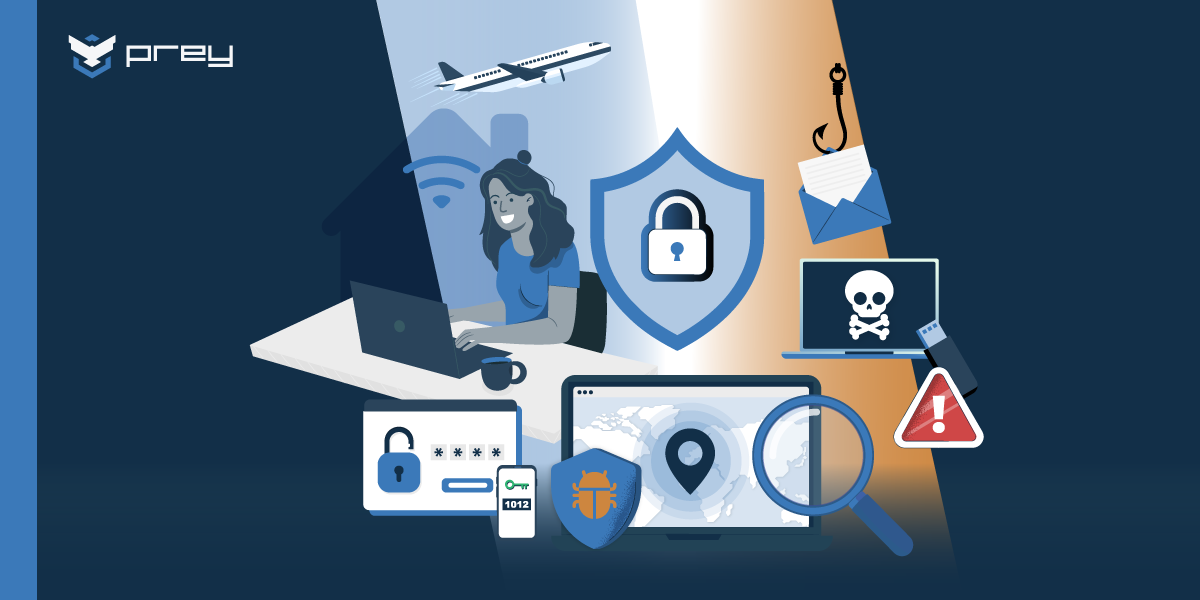
Think of it like this: every personal device accessing your company data is a new door that needs securing. And unlike traditional office setups where IT had direct control, today's landscape presents several critical challenges:
- Data Exposure: Even well-meaning employees might prioritize convenience over security on their personal devices, leading to accidental data exposure
- Inconsistent Updates: Managing updates across different operating systems becomes a juggling act, creating security gaps when some devices fall behind.
- Increased Malware Risks: Personal devices are more likely to encounter malware through non-work activities, which can then spread to your company network
- Compliance Challenges: Meeting compliance requirements becomes trickier when company data lives on personal devices spread across home offices and coffee shops
- Employee Negligence: When employees use personal devices, they might not have the same robust security measures as company-issued equipment—potentially exposing sensitive data to unauthorized access
This new reality requires a fresh approach to device management—one that balances security with flexibility, compliance with convenience. It's about finding that sweet spot where IT teams can maintain control without disrupting the productivity benefits that BYOD and remote work bring to the table.
The reality of device management for growing businesses
Managing devices across a growing team isn't just about keeping track of laptops and phones—it's about protecting your company's digital lifeline. For small and medium businesses, each new device adds a layer of complexity that, if not handled properly, can cascade into serious issues affecting everything from daily operations to long-term security.
Let's break down the real challenges IT teams face every day:
Lost Devices, Lost Sleep
It's every IT manager's nightmare: a laptop left in a taxi, a phone forgotten at a coffee shop. Beyond the hardware cost, every missing device is a potential data breach waiting to happen. Without quick action, sensitive information could walk right into the wrong hands.
The Visibility Gap
How do you protect what you can't see? Many SMBs struggle with maintaining continuous oversight of their device fleet. Without proper monitoring, unauthorized access or performance issues can slip through the cracks, often discovered only after they've become serious problems.
The Data Security Tightrope
In today's hybrid workplace, employees access company data from everywhere—their home office, local café, or while traveling. Each connection point is a potential vulnerability, making data security feel like walking a tightrope without a safety net.
The Offboarding Problem
We've all been there: an employee leaves, but their access to company systems lingers. Without proper device management, offboarding becomes a security risk rather than a routine process. Those loose ends can unravel into serious security breaches.
SW Update Chaos
Keeping software current across different devices and operating systems is like playing whack-a-mole—just when you've updated one system, another needs attention. Delayed updates aren't just annoying—they're security vulnerabilities waiting to be exploited.
The Compliance Puzzle
For SMBs handling sensitive data (and who isn't these days?), compliance isn't optional. Whether it's HIPAA, GDPR, or other regulations, failing to meet these requirements isn't just about fines—it's about losing customer trust, which is much harder to recover.
The MDM advantage for small businesses
For small and medium businesses, Mobile Device Management (MDM) isn't just another IT tool—it's your secret weapon for turning device chaos into calm. Let's break down how MDM solutions can transform your approach to device management, whether you're a retail shop managing POS tablets or a consulting firm juggling employee laptops.
Security & Protection: Your Digital Safety Net
With MDM solutions, small and medium businesses can boost their security posture, keeping sensitive data safe and ensuring only authorized users access critical systems, think of MDM as your business's digital guardian. These tools provide essential layers of protection, allowing SMBs to manage and secure devices effectively, even outside the traditional office environment.
Here's how MDMs can help with the security and protection of SMBs:
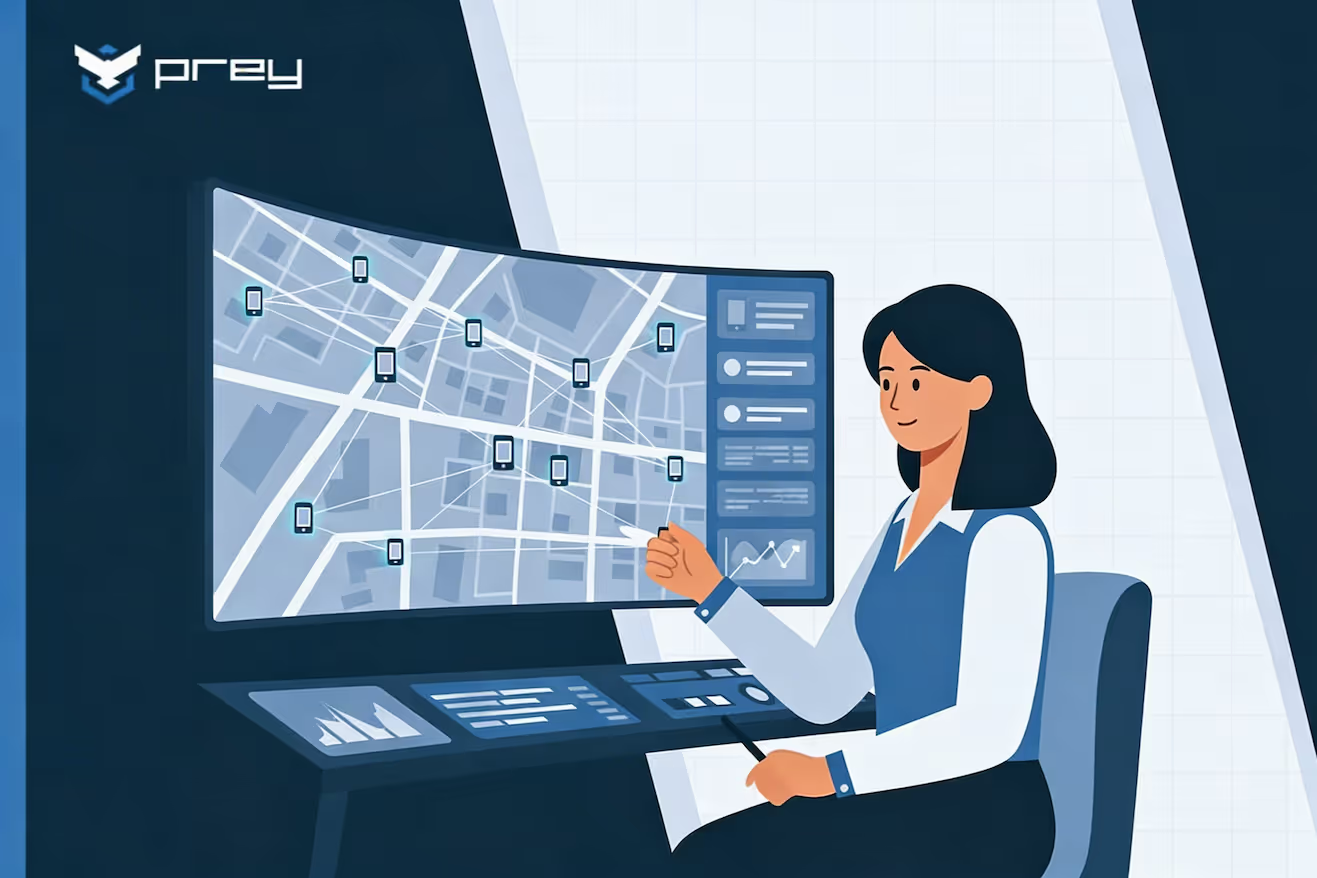
- Real time device tracking: Always know where your company devices are, whether they're in the office or halfway around the world and ensure a swift response if a device is misplaced or stolen.
- Data breach prevention: Spot suspicious activity and lock down compromised devices before they become a bigger problem.
- Remote wipe capabilities: If a device is lost or stolen, remotely erase its data to protect valuable company information and minimize risk.
- Access control management: Give the right people access to the right resources, without creating security holes.
Productivity & Efficiency: Work Smarter, Not Harder
Why spend hours on manual device setup when automation can do the heavy lifting? Modern MDM solutions turn time-consuming tasks into one-click operations:
- Streamlined device setup: Quickly configure and deploy devices, getting new employees up and running in minutes, not hours.
- Automated updates: Keep your fleet current without chasing down every device.
- Self-service options for employees: Allow employees to resolve minor issues independently, reducing their dependency on IT support.
- Time saved on routine tasks: Let your IT team focus on strategic projects, not routine maintenance.
Cost Savings That Make Sense
Implementing MDM solutions can lead to notable cost savings for SMBs by cutting down on IT demands, preventing potential security expenses, and optimizing device usage. With efficient device management, businesses can allocate resources more effectively, reducing overhead and safeguarding against unexpected costs.
Here's how MDMs can help SMBs reduce their costs:
- Reduced IT workload: Automation means your IT team can accomplish more with less.
- Extended device lifecycle: Regular maintenance keeps devices running smoothly longer.
- Breach Prevention: Stop security incidents before they drain your resources.
- Lower support costs: Fewer technical issues mean fewer support tickets.
- Reduced probability of loss due to missing and stolen devices: Track and recover missing devices before they become costly losses.
Essential MDM Features for SMBs
Not all MDM solutions are created equal. Here's what to look for in a solution that'll actually make your life easier:
- Device inventory and tracking: Track every device in the company, keeping visibility on assets and allowing for quick response if a device is misplaced or stolen.
- Security policy enforcement: Enforce standardized security measures on all devices, ensuring that company data is protected and compliant with any necessary regulations.
- Remote lock and wipe: Lock, wipe, or update devices from anywhere.
- Software distribution: Roll out updates across your entire fleet with one click
Nice-to-Have Features
While not essential, certain MDM features can add significant value by enhancing security and operational insights. These "nice-to-have" features provide extra layers of control and customization, allowing SMBs to fine-tune device management.
- Geofencing: Define virtual boundaries for devices, receiving alerts if they move outside approved areas, which enhances security and helps track device usage.
- Application management: Control which apps are installed on devices, ensuring they meet company standards and reducing the risk of unauthorized or harmful software.
- Usage reporting: Gather insights into device usage patterns to optimize resources, identify potential security concerns, and make informed decisions.
- Integration capabilities: Connect the MDM with other business tools to streamline workflows and enhance data sharing, improving overall efficiency and system coherence.
Best MDM solution for SMB's
The right MDM solution can have a big impact on SMBs, providing device security, streamlined management, and resource optimization. MDM software forms the foundation for effective device management in SMBs, offering comprehensive tools for control and compliance. With so many options available, it's important to choose a solution that meets your specific needs. Do you prioritize security? Automation? Affordability?
Below, we evaluate top MDM solutions to help you make an informed decision. These solutions help manage enrolled devices, allowing IT teams to perform remote actions such as locking or wiping devices when necessary. They also ensure devices remain secure by managing OS updates and addressing missing updates through robust patch management features.
Prey — Best All-Around MDM for Small Business Security
If you're managing a mixed-OS fleet, remote or field workers, and you need real device tracking (not just a checkbox that says "location enabled"), Prey is the strongest all-around option for most SMBs.
It covers the core security stack — GPS tracking, remote lock and wipe, geofencing, and dark web credential monitoring — in a single dashboard that doesn't require an IT team to operate. Most teams are up and running in under an hour.
Yes, we built it. But the reason we're listing it first isn't bias — it's because the tradeoffs matter, and for the majority of small businesses reading this guide, Prey's feature set lands in the right place: enough security to actually protect you, simple enough that your team won't fight it.
Here's where Prey excels:
- Real-time GPS tracking — precise location with Wi-Fi triangulation. Devices check in instantly, not every 30 minutes like some competitors.
- Full cross-platform support — Windows, macOS, Linux, Android, iOS, Chromebooks. One dashboard for everything.
- Remote wipe and factory reset — including full factory reset of Windows PCs remotely, a capability most SMB-focused MDMs skip.
- Geofencing and automations — set security policies that trigger automatically when a device leaves a defined area.
- Breach Monitoring — alerts your team if corporate credentials appear on the dark web, before those passwords are used against you.
- Theft response toolkit — remote lock, alarm trigger, covert camera capture, and screenshot. When a device goes missing, you have options.
- Human support — 93.3% CSAT. You get a real person, not a ticket number.
| Key Strengths | Best Suited For | Limitations |
|---|---|---|
| Strong device location and tracking capabilities | Organizations needing strong security and location tracking | No remote desktop control capabilities. If you need more RMM capabilities, NinjaOne is you choice |
| Cross-platform support (Windows, macOS, Linux, iOS, Android, Chromebooks) | Multi-OS environments | — |
| Intuitive user interface and simple deployment | Budget-conscious SMBs | — |
| Comprehensive security features (remote wipe, lock, encryption) | Teams requiring simple deployment and management | — |
| Affordable pricing for SMBs | — | — |
| Excellent customer support with a human touch — You're not a ticket number. | — | — |
Prey's Full Suite includes location tracking, remote wipe, geofencing, and essentials management capabilities—designed specifically for small-mediums teams who need control without complexity.
Some verified reviews from from G2:
Chloe W.- Content Producer
Small-Business(50 or fewer emp.)
"Gives me peace of mind at an affordable price"
Brian L.- I.T.
ManagerMid-Market(51-1000 emp.)
"Prey works for my company!"
Tim P.- Owner
Small-Business(50 or fewer emp.)
"Set it and forget it device security"
Ninja One
Ninja One combines robust MDM with comprehensive IT management tools. Advanced features like patch management, automation, and integrated backups make it a good fit for businesses with complex IT environments or Managed Service Providers (MSPs).
Ninja One is a great solution for SMBs and MSPs that require advanced IT management features, including patch management, automation, and endpoint security. However, it's steeply priced and complex, making it unsuitable for those with basic needs. It's best for businesses with complex IT environments or those that manage multiple clients.
| Key Strengths | Best Suited For | Limitations |
|---|---|---|
| Robust remote monitoring and management features | Organizations needing comprehensive IT management | Higher price point than simpler solutions |
| Strong patch management capabilities | Businesses with complex patch management needs | Can be complex for basic MDM needs |
| Integrated endpoint security | Companies requiring integrated backup solutions | Learning curve for full feature utilization |
| Backup solutions included | MSPs managing multiple clients | — |
| Excellent automation capabilities | — | — |
| MSP-friendly features | — | — |
Some verified reviews from from G2:
Victor K.Owner
Small-Business (50 or fewer emp.)
"A great platform that is getting stronger in capability, and does the basics well"
Adam L. - IT Support Specialist
Mid-Market(51-1000 emp.)
"Transforming, Time Saving, & Thorough!"
Greg M. - Director of Information Technology
Mid-Market(51-1000 emp.)
"A simplified RMM platform with the tools to make managing hundreds of machines easy."
Iru (Kandji)
Iru is a great choice for Apple-only businesses that prioritize zero-touch deployment, compliance automation, and advanced security features. However, it's expensive and offers no support for non-Apple devices, making it best for organizations that are 100% Apple.
| Key Strengths | Best Suited For | Limitations |
|---|---|---|
| Specialized in Apple device management | Apple-centric environments | Apple-only environment support |
| Zero-touch deployment | — | Higher price point |
| Strong compliance automation | — | — |
| Advanced security features | — | — |
| Excellent user interface | — | — |
| Regular feature updates | — | — |
Some verified reviews from from G2:
Ron L.- Systems Administrator
Mid-Market(51-1000 emp.)
"Kandji has been easy to use to maintain all our Apple devices"
Felix T. - Senior IT Support Specialist II
Enterprise(> 1000 emp.)
"Kandji is the most valuable MDM I've used so far"
Andy K. - Senior Director, Infrastructure
Mid-Market(51-1000 emp.)
"Best Mac MDM solution"
Miradore
Miradore is a simple, affordable MDM solution that's a great fit for SMBs with basic management needs. Its user-friendly interface, strong mobile device management features, and flexible deployment options make it a good choice for businesses with limited IT staff.
Miradore is a versatile, budget-friendly solution that offers decent basic MDM features. It's a good choice for resource-constrained SMBs that need simple device management. However, it falls short with limited advanced features and customization options. It's best for budget-minded SMBs with mixed device environments and basic management needs.
| Key Strengths | Best Suited For | Limitations |
|---|---|---|
| Robust remote monitoring and management features | SMBs with basic MDM needs | Some advanced features only in higher tiers |
| Good basic MDM features | Organizations with limited IT resources | Limited customization options |
| Easy to use interface | Mixed device environments | Basic reporting capabilities |
| Strong mobile device management | Budget-conscious businesses | — |
| Flexible deployment options | — | — |
| Good automation capabilities | — | — |
Some verified reviews from from G2:
James T. Developer
Small-Business(50 or fewer emp.)
"Simple to understand MDM solution"
Hexnode
Hexnode is a robust, feature-rich MDM solution offering strong security, compliance management, and kiosk capabilities. It's well-suited for businesses that prioritize advanced security controls and need versatile features to manage devices across different environments, including retail and compliance-heavy industries.
With its robust security controls, compliance tools, and kiosk management, this MDM is a great choice for businesses in regulated industries or retail operations. However, its complexity and higher cost for full features may deter smaller organizations. Best suited for businesses needing advanced security across mixed-device environments.
| Key Strengths | Best Suited For | Limitations |
|---|---|---|
| Comprehensive device management features | Organizations needing strong security features | Can be complex for simple deployments |
| Strong security controls | Retail and kiosk deployments | Higher price point for full feature set |
| Good compliance management | Companies with compliance requirements | Some features require higher-tier plans |
| Kiosk management capabilities | Mixed device environments | — |
| Multiple OS support | — | — |
| Good customer support | — | — |
Some verified reviews from from G2:
Serhii R. - CTO
Small-Business(50 or fewer emp.)
"Very good product for all companies size"
Chris G. - Buyer / Plant & Transport Manager
Mid-Market(51-1000 emp.)
"Excellent control and easy to use"
Michael K. IT Admin
Small-Business(50 or fewer emp.)
"A straightforward mdm solution."
Top MDM solutions for small businesses: 2026 comparison
| MDM Solution | Platforms | Pricing Tier | Standout Feature | Best For |
|---|---|---|---|---|
| Prey | Windows, macOS, Linux, iOS, Android, Chromebook | From $1.3/device/mo | GPS tracking, remote wipe, breach monitoring | Small teams needing security + control |
| NinjaOne | Windows, macOS | Premium | RMM-focused with device & patch management | MSPs and IT teams needing remote support tools |
| Kandji | macOS, iOS | Premium | Automated remediation, Apple-native UI | Apple-only fleets with high design standards |
| Miradore | Cross-platform | Freemium | Basic MDM with simple UI | Budget-conscious SMBs and schools |
| Hexnode | Cross-platform | Expensive | Granular policy and kiosk mode controls | Policy-heavy orgs with compliance focus |
When it comes to price and features, Prey and Miradore offer the best value for your money. While they are not the most feature-rich options, they still provide an impressive array of essential tools. NinjaOne, Kandji, and Hexnode are the most expensive options, but their high price tags are warranted due to their specialized feature sets. Unlike large enterprises, which often have extensive IT departments and resources to manage complex device fleets, SMBs benefit from solutions that are simplified and efficient. If core features are your top priority, Prey is a great choice. Its interface is incredibly intuitive, and it's one of the few options that offers full cross-platform support. Its device location tracking is incredibly accurate (see our reviews). If you're looking for a solution that checks all the essential boxes, Prey is a great choice.
If automation and remote management are more your speed, NinjaOne and Kandji are great options. Both offer excellent workflow automation tools that allow you to streamline many IT tasks and reduce the need for hands on, manual setup or management. This is especially helpful if you have a large team and want to give them more freedom to focus on other tasks. Hexnode is also a great choice if you're looking for a solution that can be managed entirely in the cloud. Its web app is incredibly intuitive and easy to navigate, and in retail environments, MDM solutions like Hexnode can directly improve the customer experience by ensuring devices are always secure, up-to-date, and ready to support seamless shopping and service interactions.
Making It Work: Implementation Done Right
Before implementing an MDM solution, SMBs should carefully consider their needs and strategy. Thoughtful planning ensures a smooth rollout and maximizes the MDM's effectiveness-
Getting Started
Getting started with MDM implementation requires careful preparation to ensure a smooth rollout. Planning ahead helps your team align on goals and anticipate any challenges, setting up your MDM solution for success from day one.
- Know your needs: Begin by identifying your specific security and management needs. Knowing your priorities helps you choose the right MDM features and avoids unnecessary expenses.
- Map your Device inventory: Create a comprehensive list of all devices to be managed. This inventory is essential for tracking assets, applying policies effectively, and maintaining accountability.
- Policy development: Develop clear, consistent policies for device use and security. Well-defined guidelines reduce confusion, enhance security, and provide a framework for employee compliance.
- Employee communication: Communicate the MDM rollout plan to your team. Clear communication about the MDM's purpose and impact fosters cooperation and smooth adoption among employees.
Common Pitfalls to Avoid
Missteps during setup can lead to unnecessary costs, frustrated employees, and reduced system efficiency, so it's important to approach implementation with simplicity and user experience in mind.
- Over-complicating policies: Complex policies can confuse employees and hinder compliance. Keep policies straightforward to ensure they are followed consistently and are easy to enforce.
- Ignoring user experience: An MDM system should support, not disrupt, employees' workflows. Overly intrusive or inconvenient setups may decrease productivity and lead to pushback.
- Skipping employee training: Without proper training, employees may misunderstand the MDM's purpose or struggle to comply with policies. Training fosters understanding and smoother adoption across the team.
- Choosing overly complex solutions: Selecting an MDM that's too advanced for your needs can lead to a challenging setup and maintenance. Choose a solution that matches your business size and requirements for optimal usability.
Long-term Planning
Long-term planning ensures your MDM solution will support your business effectively as it grows. Thinking ahead helps you maintain seamless device management, avoid costly changes, and keep your team aligned with best practices.
- Scalability considerations: Select a solution designed to grow with your business, enabling easy addition of devices and features without the need for complex upgrades or platform changes.
- Budget planning: Prepare a budget that includes both initial setup and ongoing expenses. This approach ensures the solution remains affordable, covering updates, support, and future expansions.
- Training requirements: As your team grows or the MDM evolves, regular training helps everyone stay up-to-date, ensuring consistent security and efficiency across all devices.
Prey vs. Miradore: which budget-friendly MDM actually protects your devices?
After going through the full list, two options consistently rise to the top for most small businesses: Prey and Miradore.
Both are affordable, easy to deploy, and cover the core MDM features an SMB actually needs — which makes the choice look straightforward on paper. However they solve different problems — and for most businesses managing remote or mobile devices, the differences matter.
| Feature | Prey | Miradore |
|---|---|---|
| GPS tracking | Always on, high-precision (GPS + Wi-Fi triangulation) | Basic location, less precise |
| Linux/Ubuntu | Yes | No |
| Dark web / Breach Monitoring | Yes — alerts on leaked corporate credentials | No |
| Remote factory reset (Windows) | Yes | No |
| Theft response toolkit | Remote alarm, covert camera, screenshot, geofencing | Limited |
| Geofencing + automations | Yes — policy triggers based on location | Limited |
| Multi-tenant / MSP portal | Yes | No |
| Free tier | No (14-day trial, extendable to 30) | Yes — up to 25 devices |
| Human support | 93.3% CSAT, real team | Standard |
Both are built for different realities. Miradore is designed for fleets that stay in one place. Prey is designed for the ones that don't. That distinction doesn't show up in a feature checklist — it shows up on the Tuesday something goes wrong.
A laptop doesn't come back after an offboarding. A device gets left at an airport café. A phone disappears at a conference. With Miradore, you get a last-known network location — and a lot of waiting. With Prey, you trigger a real-time GPS trace, lock the device, capture a photo from the front camera of whoever's holding it, and execute a full factory reset if recovery fails — all from the same dashboard.
One IT consultant used that exact sequence twice with the same client. A former employee who claimed he'd returned a company laptop was geolocated to his home address, with timestamped photos of him using it. The device came back within the hour.
That's what the table is actually describing: not features, but what happens when something goes wrong.
If your entire fleet sits in one office and your team is fully on-site, Miradore's free plan is a legitimate starting point. But the moment anyone on your team works remotely, travels, or operates in the field — Prey is the stronger call.
How small businesses use Prey to simplify device security
Prey was built with resource-strapped IT teams in mind—whether that's a team of five or one multitasking sysadmin. Here's how small businesses are putting it to work:
- Remote onboarding & offboarding: Assign, wipe, and reassign devices securely—without flying someone in.
- Field and remote worker protection: Use GPS tracking and geofencing to monitor devices out in the field.
- Credential breach alerts: Prey's Breach Monitoring alerts you if staff credentials are leaked on the dark web.
- Fleet visibility without MDM overload: Simple labels and filters to tag devices by user, role, or location.
Prey also offers tailored pricing plans for small teams, so you won't be paying enterprise rates for a compact fleet.
Which MDM is right for your small business?
No single MDM fits every situation. Choosing the right solution depends on your unique needs and limitations. As we've discussed, SMBs struggle with limited resources, scalability, and technical expertise. When evaluating solutions, consider deployment ease, security features, and affordable licensing to ensure the solution meets your business needs.
Here's a direct guide based on the most common SMB profiles:
You have fewer than 100 devices and a remote or hybrid team → Prey Cross-platform support, real GPS tracking, and a security toolkit that works when devices are in the wild. Simple to deploy, no IT team required.
You're Apple-only and want deep automation → Kandji (Iru) Best-in-class Apple management. Worth the price if your entire fleet is macOS and iOS.
You need RMM + MDM in one tool, and you're an MSP → NinjaOne More complex and more expensive, but the right fit if patch management, remote desktop, and multi-client management are core to your workflow.
You have a compliance-heavy environment with kiosk needs → Hexnode Granular policy controls and strong kiosk mode. Overkill for most SMBs, but right for retail and regulated industries.
You have under 25 devices and truly basic needs → Miradore free tier If you're not managing remote workers and don't need location tracking, Miradore's free plan is a reasonable starting point. You'll likely outgrow it.
Our honest take: For most small businesses — especially those with any remote or field component — Prey covers the security stack you actually need without the complexity you don't. Device tracking, data protection, and breach monitoring in one tool, at a price that makes sense for a growing team—curious about how Prey can meet your needs? Book a guided demo with one of our team - we'll be happy to help!.
Frequently asked questions
Is Prey a good MDM for small businesses?
Yes — Prey is designed specifically for teams that need real device security without a dedicated IT department. It supports Windows, macOS, Linux, iOS, and Android from one dashboard, includes GPS tracking, remote wipe, and Breach Monitoring, and is priced for SMB budgets. Most teams are fully set up in under an hour.
How does Prey compare to Miradore for small businesses?
Both are affordable and easy to use, but they cover different ground. Miradore offers a free tier for basic device management. Prey adds real-time GPS tracking, Linux support, geofencing automations, remote Windows factory reset, and dark web credential monitoring — features that matter when devices leave the office. If your team is remote or mobile, Prey is the stronger choice.
What's the best MDM for a team with fewer than 50 devices?
Prey is well-suited for small fleets — it doesn't charge enterprise rates for small teams, and the setup is fast enough that you won't need a dedicated IT resource to manage it. The 14-day trial (extendable to 30) lets you test it against your actual device fleet before committing.
Does Prey work on Windows, Mac, Android, and iOS?
Yes. Prey supports Windows, macOS, Linux/Ubuntu, Android, iOS, and Chromebooks — all managed from a single web dashboard. This makes it one of the few SMB-focused MDMs with true cross-platform coverage, including Linux.
What's the difference between Prey and Microsoft Intune for small businesses?
Intune is powerful but complex — it's designed for enterprises already inside the Microsoft ecosystem, and GPS tracking is one of its weakest features. Prey is faster to deploy, easier to manage, and delivers precise real-time location tracking that Intune can't match. Many SMBs use both: Intune for policy management within Microsoft 365, and Prey for device tracking and theft response.
What happens if a company device is stolen?
With Prey, you can remotely lock the device, trigger an alarm, capture a photo from the front camera, take a screenshot, and track its location in real time — all from the dashboard. If recovery isn't possible, you can remotely wipe the device or execute a full factory reset to protect your data.